


Video downloader - Story Saver
4.78.79K Reviews
App Specs
- Version
- 3.28.1
- Updated On
- License
- Free
- Downloads
- 50,000,000+
- Developer
- Video Downloader Story Saver
- Categories
- Social
- Platform
- Android, iOS
Screenshots
 Analysis by AppCompare
I’m most comfortable recommending a social video saver when I treat it as a helper for specific moments, not as a replacement for browsing the platforms where the posts originate. A clip may be easy to find while I’m online and less convenient to revisit later, so a downloader can be useful when I have a clear reason to keep a copy. With Video Downloader - Story Saver, the central question is practical: does saving a post fit the way I use my phone, and can I do it without losing track of where the content came from?
When the connection becomes part of the workflow
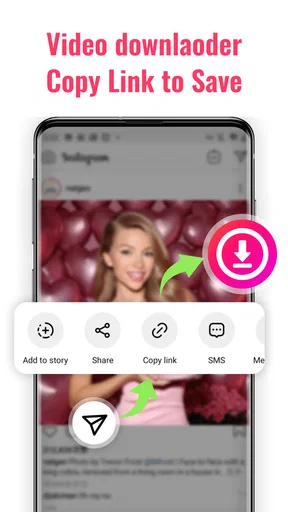
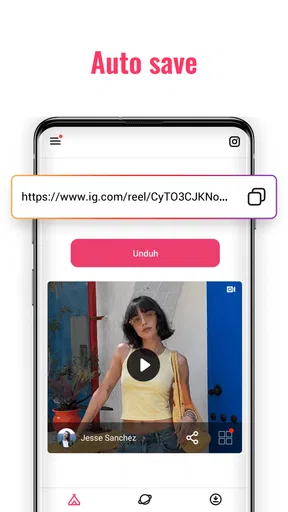
Downloading content depends on being able to reach the post and complete the save process. I’d start while connected, open the item I want to keep, and use the app’s copy-and-paste workflow rather than assuming a saved file will appear just because I viewed a story. That small distinction matters: browsing and saving are separate tasks, and it’s worth checking that the item is actually in your gallery before closing the source or moving on.
For a planned trip, class, or commute, I’d save only the clips I genuinely expect to revisit, then check the gallery before leaving reliable coverage. That is more dependable than waiting until the train is underground and hoping the original post will still load. I would also keep the source account or creator in mind; a downloaded copy is convenient, but it does not replace the original context or permission to share someone else’s work.
Useful in short mobile sessions
This kind of tool suits the quick phone routine: spot a recipe demonstration, copy its link, paste it into the downloader, and return to the feed. It can also help someone collecting examples for a personal project or keeping a family-shared clip handy. I’d avoid turning every scroll into a download session, though. Choosing a handful of useful posts is easier to manage than building a large, unlabeled pile that becomes difficult to search.
A simple habit makes the gallery more useful: after saving, decide whether the clip is a temporary reference or something worth keeping. Delete the first kind once you’ve used it, and keep the second only when you have a legitimate reason. That approach is especially helpful on a phone where videos compete with photos and other files for limited storage.
What to do when a save does not work
Link-based saving has a few natural points of friction. The copied address might not be the one you meant to save, the source post may no longer be reachable, or the connection may drop while the app is trying to retrieve it. If a download fails, I’d first reopen the original post and copy its link again, then retry when the connection is steady. I would not keep tapping repeatedly without checking the gallery, since that can leave you unsure whether a file was saved once or more than once.
If the content is private, restricted, or unavailable to you in the source app, a downloader is not a sensible workaround. It is better to respect those boundaries than to treat a technical tool as permission. For ordinary public material you are allowed to keep, a quick source check and a second look at the saved file are practical ways to catch mistakes before you rely on it.
Worth Reading Before You Choose

Baby Panda World Brings Quick Play to Modern Phones, but Its Game Library Feels Busy

ESPN’s Live Game View Makes Following Close Games Easier

QuizzLand Review: A Good Fit for Short Trivia Breaks, Not Every Player

Basketball Stars: Multiplayer Is Fast, but Can It Recover When Matches Go Wrong?

WEBTOON Turns Phone Updates Into a Better Reading Routine

Link to Windows Runs on Shared Habits, Not Social Feeds
Keeping data use and storage in proportion
Video files can take more room and consume more mobile data than a text post, so I’d use Wi-Fi for larger batches when that is convenient and save over mobile data only when the clip is worth the cost to me. The app’s gallery and delete controls make cleanup straightforward, but they do not decide what is important. Reviewing saved files now and then prevents old clips from quietly accumulating.
Compared with bookmarking a post, downloading is more useful when I want a local copy to organize in my gallery; bookmarking is often better when I simply want to find the original again and keep its social context. Screen recording is a possible fallback in some situations, but it can capture interface elements and is less tidy than saving the source video directly. I’d choose the lightest method that meets the need rather than downloading by default.
The app is free to install, with optional in-app purchases priced from $0.49 to $119.99 per item. It is a social app from Video Downloader Story Saver, has an Everyone age rating, and its current version is 3.21.2. Its 4.8 average comes from around 1.3 million ratings, and it has passed 50 million installs. Those figures suggest broad reach, but my decision would still come down to whether link-based saving fits my own routine.
Getting Started with Video Downloader - Story Saver
First things first, downloading and setting up Video Downloader - Story Saver is a breeze. Available for both Android and iOS, the app quickly installs and gets you right into the action. The interface is clean and intuitive, so you won’t find yourself lost, even if tech isn’t your strong suit.
Once you’re in, the app prompts you to connect your social media accounts. This might sound a bit intimidating, but it’s all about making the download process smoother. Rest assured, your data remains secure and private. I appreciate how the app doesn’t bombard you with ads or unnecessary permissions, focusing instead on delivering a streamlined experience.
Features That Stand Out
What sets this app apart from the sea of downloaders out there? Let’s dive into some of the standout features:
- Multiple Platform Support: Whether you’re a fan of Instagram, Facebook, or Twitter, this app has got your back. You can download videos and stories from a variety of platforms hassle-free.
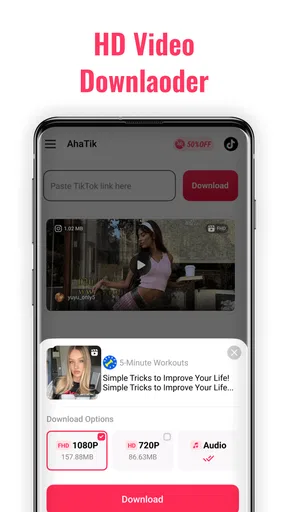
- High-Quality Downloads: No more pixelated videos. The app ensures that you get the best quality possible, preserving the original resolution and audio quality.
- Built-in Video Player: Want to watch your downloads right away? The app comes with a built-in player, so you can enjoy your content without needing another app.
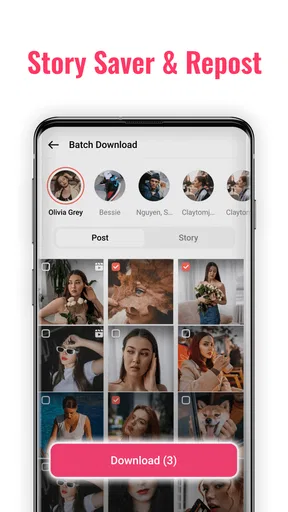
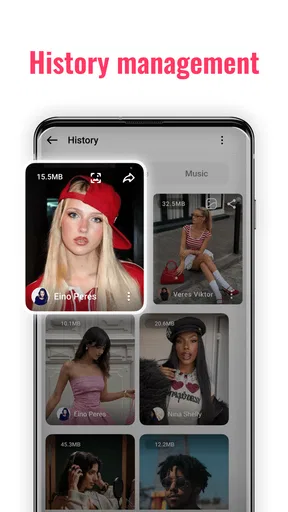
- Organized Gallery: Keeping track of your downloads is super easy with the app’s organized gallery feature. It categorizes your files, so you spend less time searching and more time enjoying.
Using the App
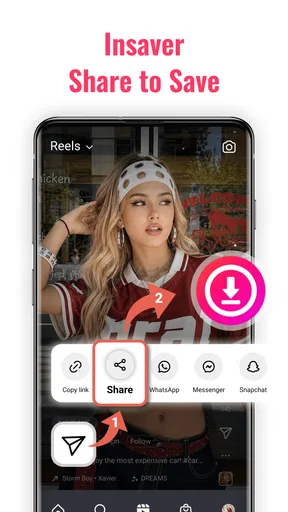
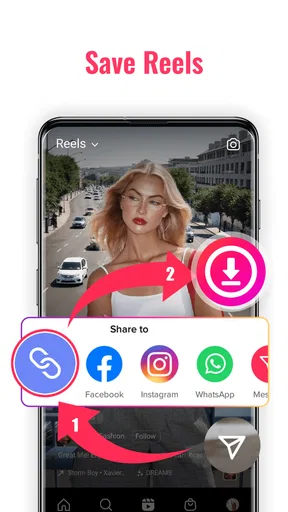
Okay, so how do you actually use this thing? It’s as simple as copying the link of the video or story you want to download and pasting it into the app. Hit the download button, and voila! Your video is saved right into your gallery.
The app also lets you manage your downloads, so if you’re running low on space, you can easily delete unwanted files. For those of us who tend to hoard media, this is a lifesaver.
Why You’ll Love It
If you’re like me and love to save content for offline viewing, you’ll find Video Downloader - Story Saver indispensable. It’s not just about downloading; it’s about creating your personal vault of memories and entertainment that you can access anytime, anywhere.
The app’s seamless integration with major social media platforms means you can capture trending videos and stories without missing a beat. And if you’re someone who shares content often, this tool simplifies the process, allowing you to repost with ease.
A Few Things to Consider
While the app is pretty solid, it’s essential to remember that downloading content should always respect copyright laws and the privacy of content creators. The app does a good job reminding you of this with gentle prompts, which I think is a nice touch.
Additionally, while the free version is quite capable, there’s a premium version available that offers additional features like ad-free browsing and faster downloads. Depending on your needs, it might be worth the investment.
Video Downloader - Story Saver is a fantastic tool for anyone looking to capture and enjoy online content at their leisure. It’s user-friendly, efficient, and designed with the modern user in mind. Whether you’re a casual browser or a content enthusiast, this app has something to offer. Happy downloading!
Pros
- Easy to download videos quickly.
- Supports multiple social media platforms.
- User-friendly interface design.
- High-quality downloads available.
- No login required for basic features.
Cons
- Contains in-app advertisements.
- Limited features without premium version.
- Occasional download speed issues.
- Not available on all app stores.
- Requires permissions for storage access.
FAQs for Video downloader - Story Saver
What features does the Video Downloader - Story Saver offer?
Video Downloader - Story Saver provides users with the ability to download videos and stories from various social media platforms directly to their devices. It supports multiple formats and offers fast download speeds. Additionally, it includes a built-in media player and organizes downloaded files for easy access and management.
Is the Video Downloader - Story Saver app free to use?
Yes, the app is free to download and use, but it may include in-app purchases or ads. These can be removed or enhanced with a premium version, which typically offers additional features such as ad-free browsing, faster downloads, or support for additional file formats.
Does Video Downloader - Story Saver support all social media platforms?
The app supports a wide range of popular social media platforms, including Instagram, Facebook, and Twitter. However, users should verify the specific platforms listed in the app’s description to ensure it meets their needs, as support may vary or be updated over time.
Is it legal to download content using Video Downloader - Story Saver?
Downloading content using Video Downloader - Story Saver is subject to the terms and conditions of the respective social media platforms. Users should ensure they have permission to download and share content and should respect copyright laws. The app is intended for personal use and not for commercial distribution.
How secure is the Video Downloader - Story Saver app?
The app is designed with user security in mind, but it’s crucial to download it from reputable sources like the Google Play Store or Apple App Store to avoid malware. Users should also check for regular updates and reviews to ensure the app remains secure and functions as advertised.


